How to Play Build Whatever on Roblox: Join and Set Up Your First World
A quick-start guide to Build Whatever on Roblox: join the right experience, create your own personal world, and begin your first build on your starting island.
Quick answer
To get started in Build Whatever, join the Roblox experience Build Whatever! [🔨] from its game page, create your own personal world through the world system, and begin building on the simple starting island.
- Open the Build Whatever! [🔨] page on Roblox and press Play on Roblox
- Create a personal world where random players can't get in the way
- Turn the starting island into anything you want — that's the whole game
Build Whatever! [🔨] is a Roblox building game summed up by its own tagline: "Build whatever you imagine!" You get a personal world to shape however you like. Getting started takes two things — joining the right experience and setting up your own world.
Join the right Roblox experience
The experience you want is named Build Whatever! [🔨]. Open its game page on Roblox and press the Play on Roblox button to launch it. That entry point drops you straight into the game, where the building begins.
Create your own personal world
Once you're in, use the game's world system to create your own personal world. This is what makes building comfortable: random players can't get in the way of your project while you work. You stay in control of the space:
- Invite friends whenever you want company or extra builders
- Manage who can join, so only players you approve can enter
- Keep your creations saved, so your work is still there when you come back
Start your first build
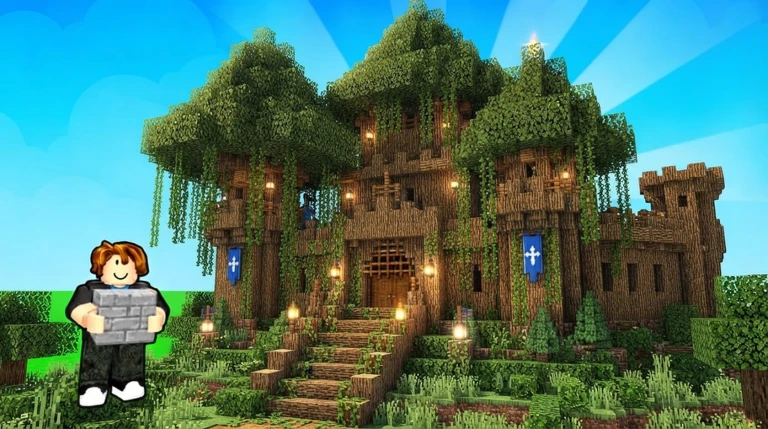
A new world starts as a simple island, and turning that island into anything you want is the point of the game. For a first build, pick something small and concrete — a little house works well — then shape and expand it as you get comfortable.
Once the basic shape stands, decorate with Build Whatever's advanced furniture and props. They're made for exactly this: adding the detailed touches that make houses, shops, bases, cities and everything in between feel more complete.
Where to go next
- Build Whatever blocks — what you can place and build with
- How to paint in Build Whatever — add color to a finished shape
- Build Whatever build ideas — inspiration for your next project
- Build with friends in Build Whatever — turn a solo build into a group one
- How to save builds in Build Whatever — more on keeping your work safe
Related Guides
Build Ideas & Starter Projects
Pick a realistic first or next project, from tiny starter houses to sprawling city-scale builds.
How to Save Builds
Learn where to build so your creation autosaves, and how to come back and continue later.
Build With Friends
Invite friends to your world, manage who can join, and keep shared builds saved together.
All 24 Gamepasses & Prices
Browse all 24 passes with Robux prices and compare them before spending on any single pass.