Build Whatever Build Ideas: What to Build and Where to Start
Build Whatever build ideas range from a tiny house to a huge city — see the project types the game names and choose your first project.
Quick answer
You can realistically build anything from a tiny house to a huge city in Build Whatever. The game's own description names tiny houses, huge cities and secret bases as project types, adds shops in its furniture section, and tops it off with 'something completely ridiculous'. For a first project, pick the tiny house: it is the smallest thing the game names, and because your creations save, it can keep growing from there.
- Tiny house — the smallest project the game names
- Shop — a build that furniture makes feel complete
- Secret base — a hideout with a purpose
- Huge city — the long-term project
- Something completely ridiculous — the game's own catch-all
Build ideas the game itself suggests
Build Whatever's own description puts the range in one sentence: a tiny house, a huge city, a secret base, or 'something completely ridiculous' — and 'your world is yours to build'. These are project categories, not blueprints. The labels describe scale and attitude; how far you take each one is up to you.
The furniture section of the same description names one more type: shops. It says detailed furniture and props make 'houses, shops, bases, cities, and everything in between feel more complete' — a fairly explicit green light for everything in between, too.
Starter build ideas
Tiny house
The smallest project the description names — a compact home you can keep expanding, since your creations save so you can come back and continue building later. Furniture and props make it feel complete.
Shop
Listed alongside houses, bases and cities as a build type that detailed furniture and props make feel complete.
Secret base
A hideout with a purpose. Build it for yourself, or keep it in mind as a base for role-play once friends visit.
Huge city
The other end of the scale: streets, districts and skylines. A long-term project your save file can carry across many sessions.
Something completely ridiculous
The description's own catch-all. If it fits no category, it still fits 'your world is yours to build'.
Battlefield
From a community clip page: build a battle field, then role-play, hang out or have 'war' with friends. A group project rather than a solo first build.
Town for group play
The same community page describes building a town to hang out in. Like the battlefield, it shines when you build it with friends.
Which project should you build first?
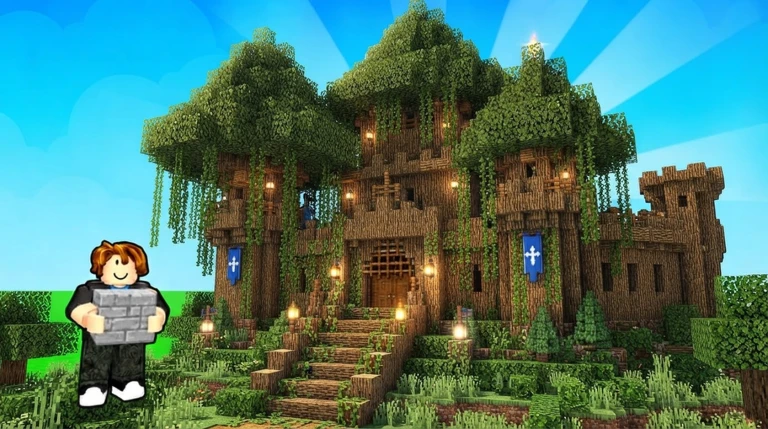
Start with a tiny house. It is the smallest project the game names, so the scope stays manageable: walls, a roof, a door. Finishing something small teaches you how building works without locking you into a long layout, and advanced furniture hands you an obvious second step — decorating.
Your first project is also not a final decision. Your creations save, so you can come back and continue building later. The tiny house can gain a second floor next session, a shop can open next door, and a few streets can grow into the huge city over time. A finished small build beats an unfinished large one.
Decision guide
If the huge city is calling you, the city building guide goes deeper into that one project type.
Where you build matters as much as what
All of this happens in your own personal world. The description spells out what that means: you build 'without random players getting in the way', you can invite friends and manage who can join, and a private world is there when you want peace. How world sessions work and how to save your builds each have their own guide.
Builds are better with friends
Building with friends is a headline feature of the game, and players clearly use it that way: a community clip page for Build Whatever describes building 'a battle field, house, and even a town' and then role-playing, hanging out or having 'war' together. Those examples come from players rather than the official description, but they show where a shared world goes: if friends will visit, a town or battlefield gives everyone something to do. For the multiplayer side, see the build with friends guide.
Finish the shape, then furnish it
Advanced furniture is one of the game's named features: you decorate builds with more detailed furniture and props so that houses, shops, bases, cities 'and everything in between feel more complete'. Treat it as the final step of any project — get the shape right first, then furnish, and even a modest build feels complete. If you want more decoration options, there is a separate guide to the furniture packs.
More Build Whatever guides
- How to play Build Whatever — the basics, if you have not placed a block yet.
- Build Whatever blocks — know your building pieces before you start.
- How to paint in Build Whatever — add color once the structure stands.
- Build Whatever city building — for when the tiny house turns into urban planning.
Related Guides
City Building
Plan the large city builds the game explicitly supports, and set up the right world and saves first.
Blocks & Store Packs
See every block item and pack in the store, what each costs, and what the pack names reveal inside.
How to Save Builds
Learn where to build so your creation autosaves, and how to come back and continue later.
Build With Friends
Invite friends to your world, manage who can join, and keep shared builds saved together.