Build Whatever City Building: How to Plan and Build a Large City
A huge city is an explicitly supported build in Build Whatever. See what the game supports for city-scale projects and which world and save setup to do first.
Quick answer
Yes — a huge city is an explicitly supported build outcome in Build Whatever, and because creations can be saved, a city-scale project can be assembled across many sessions. Create your own world, decide who can join, and confirm saving works before you lay out your first district.
- A huge city is a named example of what your own world can become — a large build, not a separate game mode.
- Your personal world keeps random players out while you build, and you invite and manage who joins.
- The Advanced Furniture set adds the detailed furniture and props that make houses, shops and cities feel complete.
What the game supports for a city-scale project
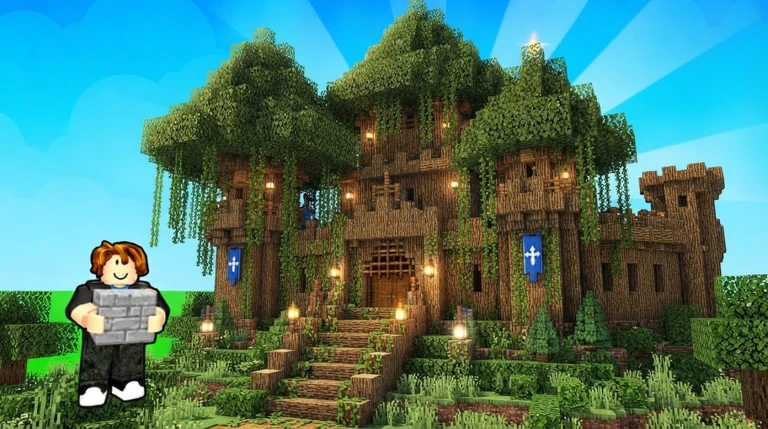
Build Whatever lists a huge city alongside a tiny house and a secret base as things your own world can become — "your world is yours to build." There is no special city mode to unlock: a city is simply a large build you plan, assemble and decorate yourself, in the same world and with the same tools as any other project.
Your canvas is a simple island. The game describes turning it "into anything you want," and that island is the space your street grid, districts and landmarks will occupy. The descriptions don't say whether you can reshape the terrain itself or should build over it, so plan a layout that fits the island you start with.
For detail work, the game supplies an Advanced Furniture content set: more detailed furniture and props for decorating builds, which the game itself ties to making "houses, shops, bases, cities, and everything in between" feel more complete. That makes it the natural toolkit for the interiors of the homes, shops and public buildings in your city.
World and save conditions to set up first
A city takes many sittings, so put the conditions in place before you place the first block.
Checklist
- Create your own personal world
Your city lives in a world you own, where random players cannot get in the way of the build.
- Decide who can join
You invite friends and manage who can join. The descriptions don't separate build rights from visit-only access, so invite people you trust with the project.
- Confirm your builds are saving
Creations can be saved so you can come back and continue building later — the condition that makes a multi-session city possible. Whether saving is automatic or needs a manual action is not stated, so check it before investing hours.
- Plan around your island
The island is the space the city will occupy, so sketch a layout that fits the space you actually have.
Our guides to saving builds and world sessions cover both sides of that setup in more detail.
Planning a city-scale layout
The game supports the outcome; the plan is yours. A few habits keep a project this size manageable:
Tips
Zone the island first
Split the space into districts — housing, shopping, special builds — so the city grows around a plan instead of sprawling.
Roads and plots before buildings
Plan the street grid and plot boundaries early; it is easier to place buildings on a prepared layout than to squeeze roads between finished builds.
Build one district per session
Saving lets you come back and continue, so treat the city as a series of sittings rather than one marathon.
Shell first, decorate after
Place a building's structure, then use Advanced Furniture to make its interior feel complete.
Give friends whole districts
If friends are helping, hand each builder a zone so work does not overlap.
Building the city with friends
"Build with friends" is a listed feature of the game, and it suits a city project well: you own the world, you invite and manage who joins, and the world's creations stay saved while your invited helpers build. Giving each friend a district keeps the effort organized. If you would rather build alone, the game also offers a private world "when you want peace." Our guide to building with friends covers the collaboration in more detail.
Keeping the project going
Because builds save, there is no need to finish in one sitting — stop whenever you like and pick the city back up later. When you need motifs for the next neighborhood, the Build Whatever build ideas page is a good source of inspiration.
Related Guides
How to Save Builds
Learn where to build so your creation autosaves, and how to come back and continue later.
Build With Friends
Invite friends to your world, manage who can join, and keep shared builds saved together.
All 24 Gamepasses & Prices
Browse all 24 passes with Robux prices and compare them before spending on any single pass.